
Products

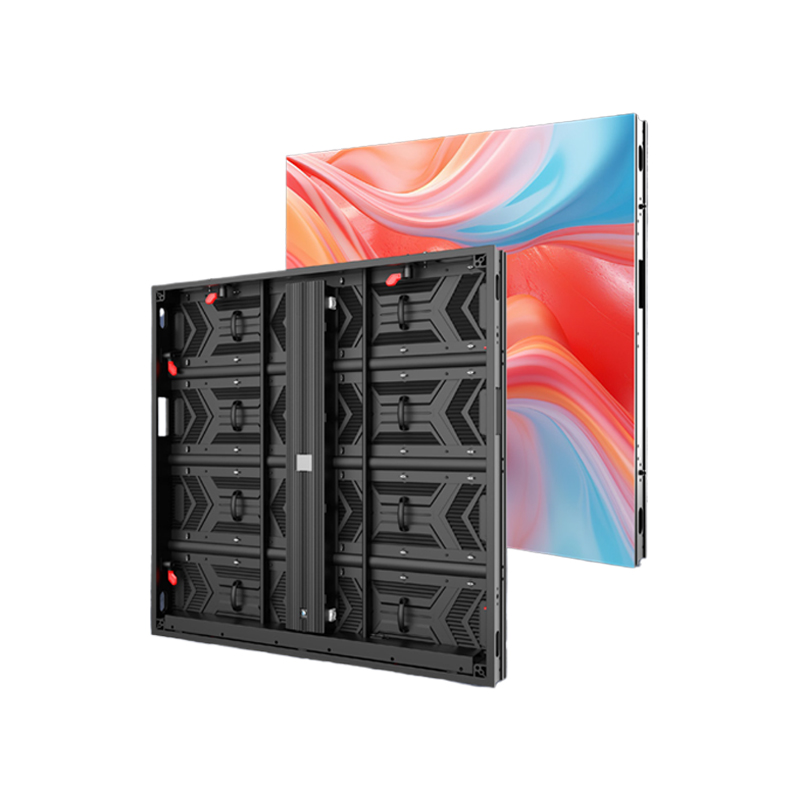
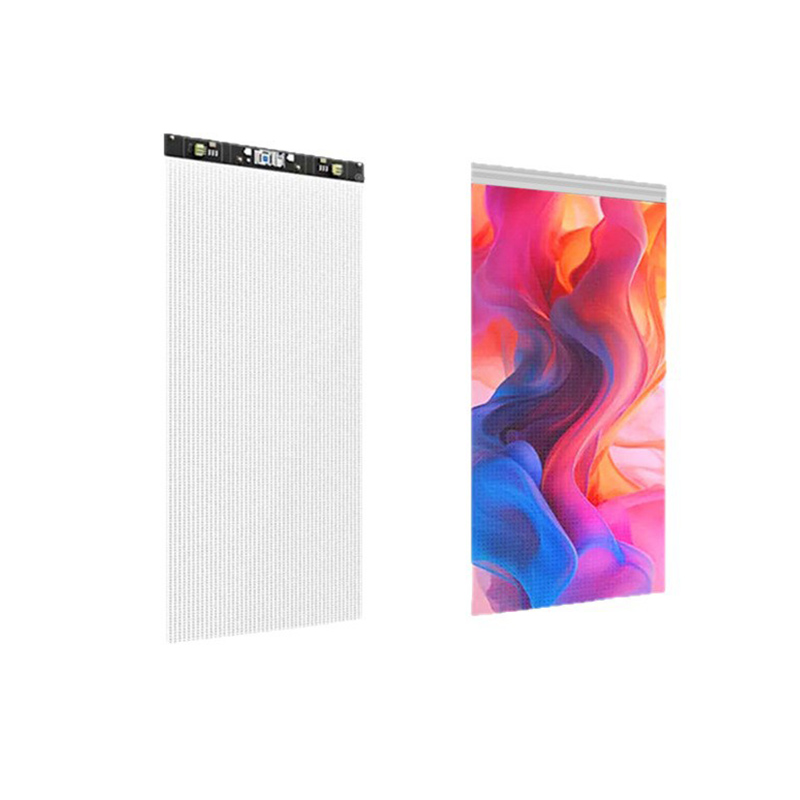
Crystal Film Screen BJ Series

Small-pitch full-color LED chips deliver high-definition picture quality, faithfully reproduce colors, display more lifelike images, and feature high dynamic refresh rates and brightness.

img


Product Details


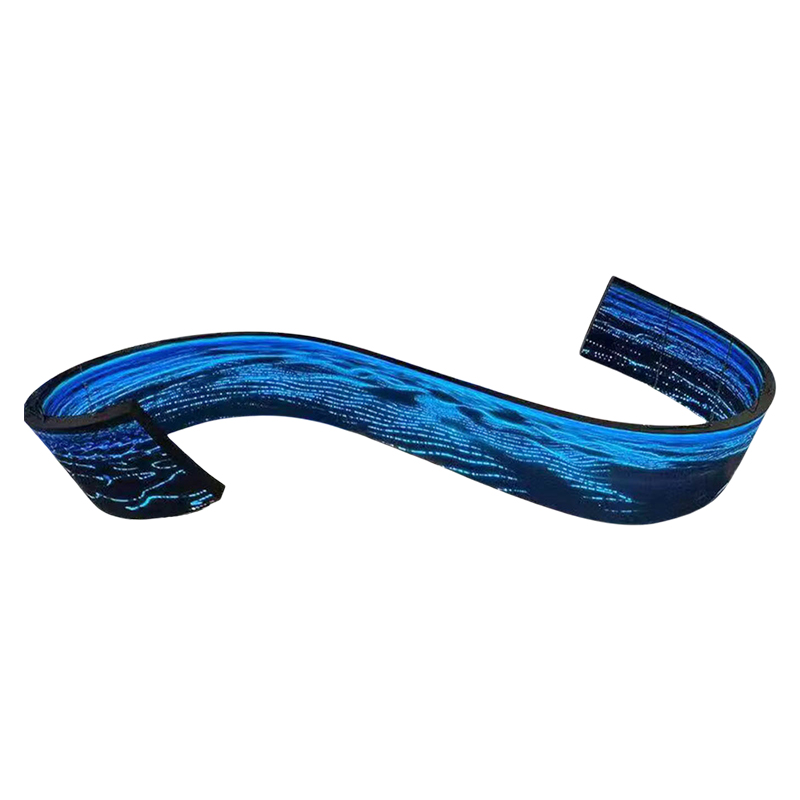
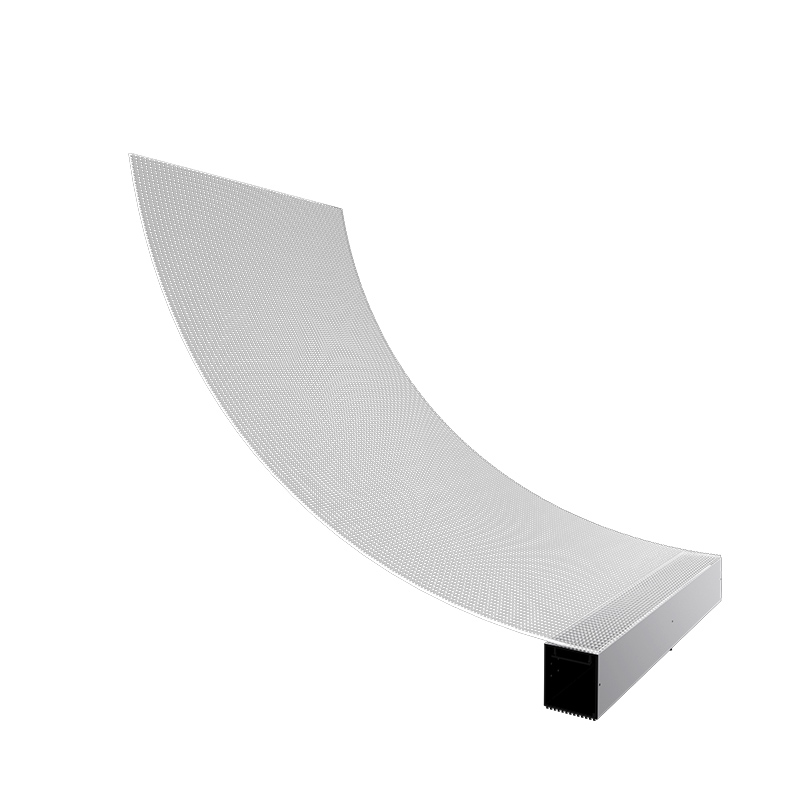
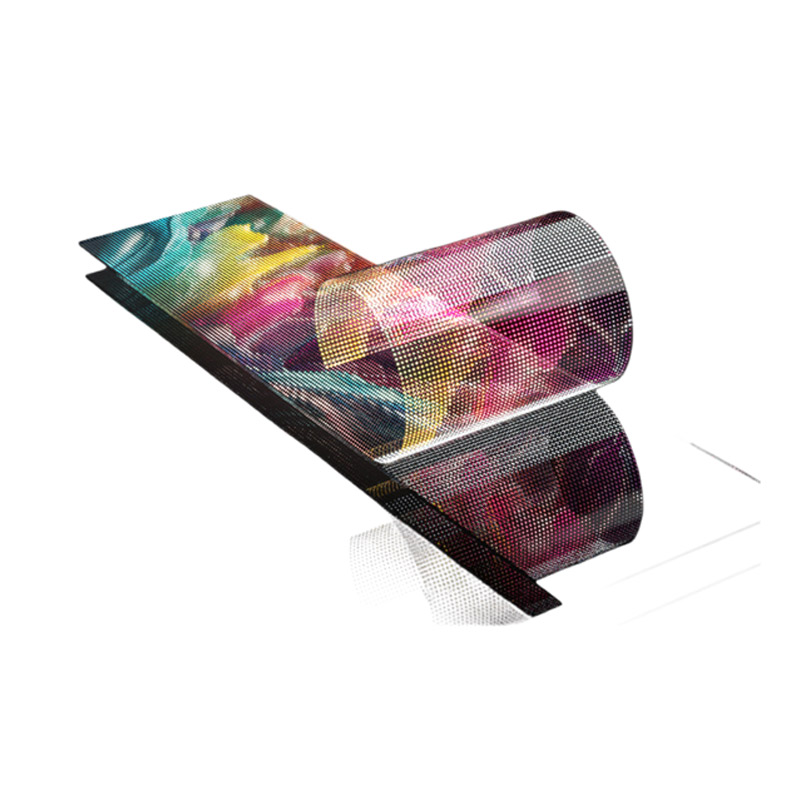
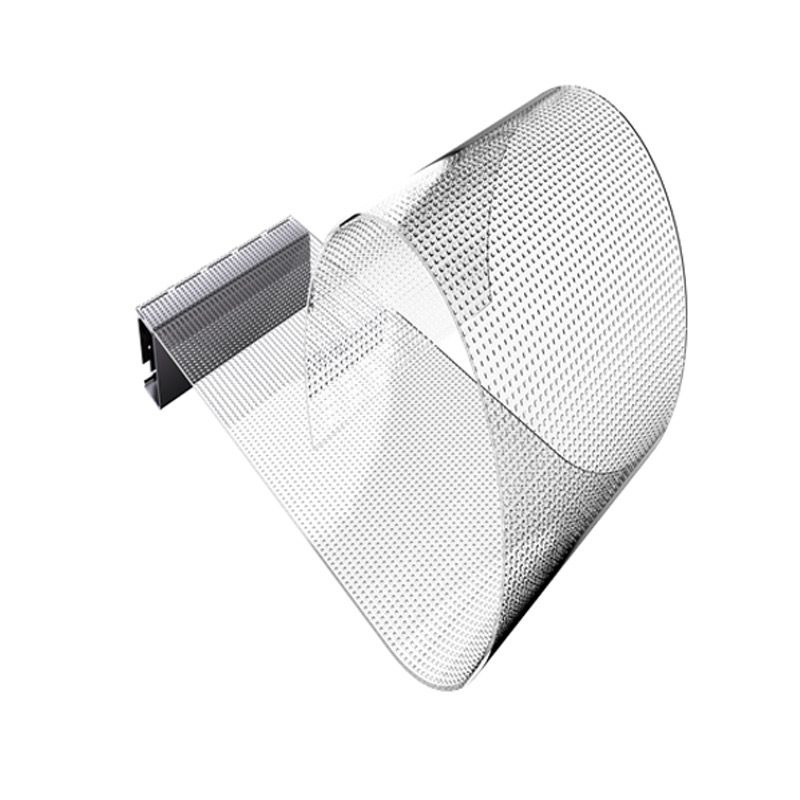
Flexible Display Panel

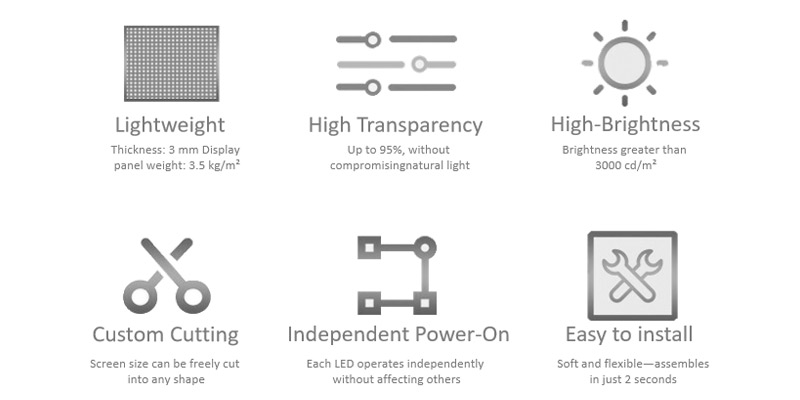
Minimum bendable diameter of 1-meter circles, suitable for curved glass and irregularly shaped glass

img


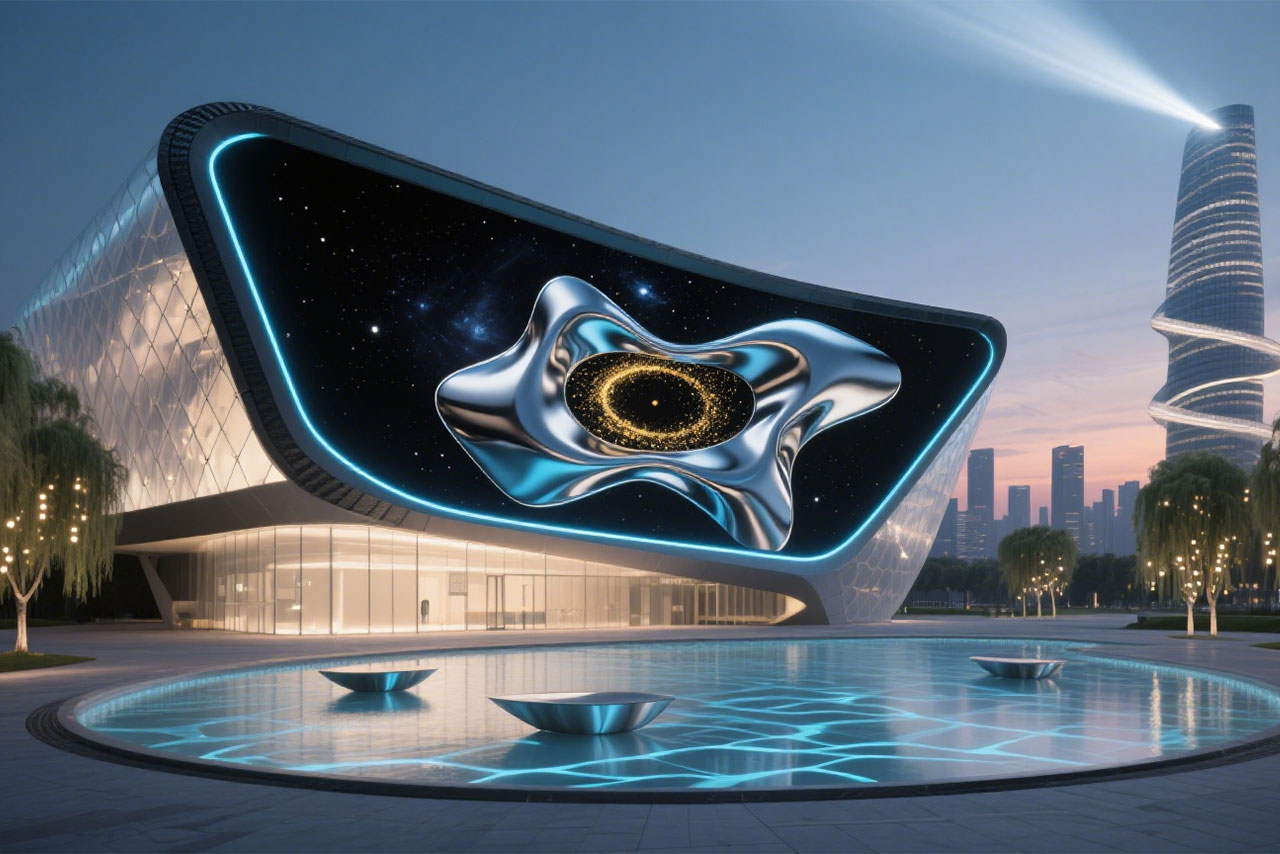
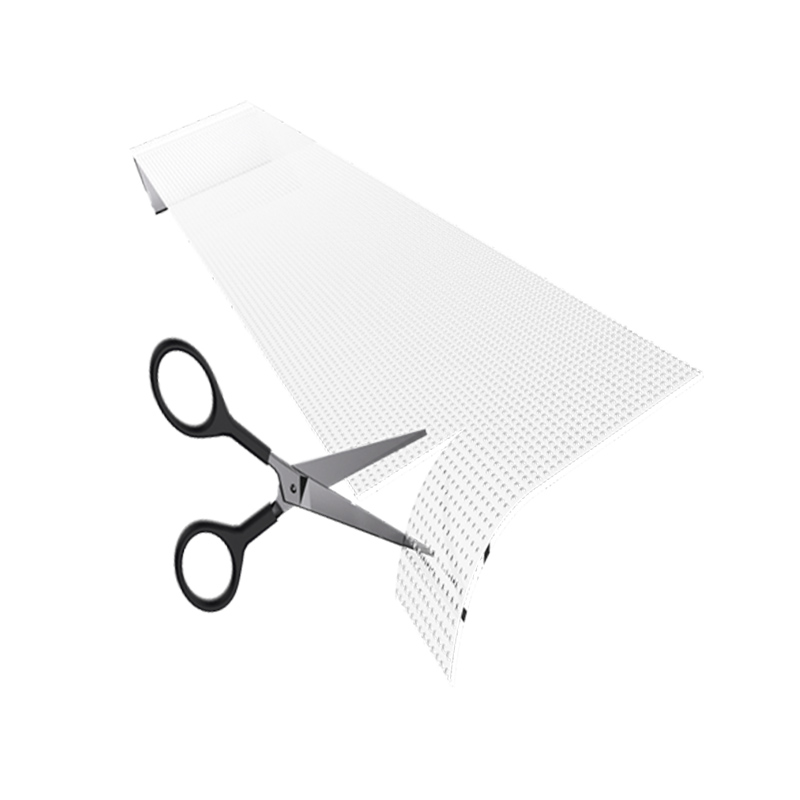
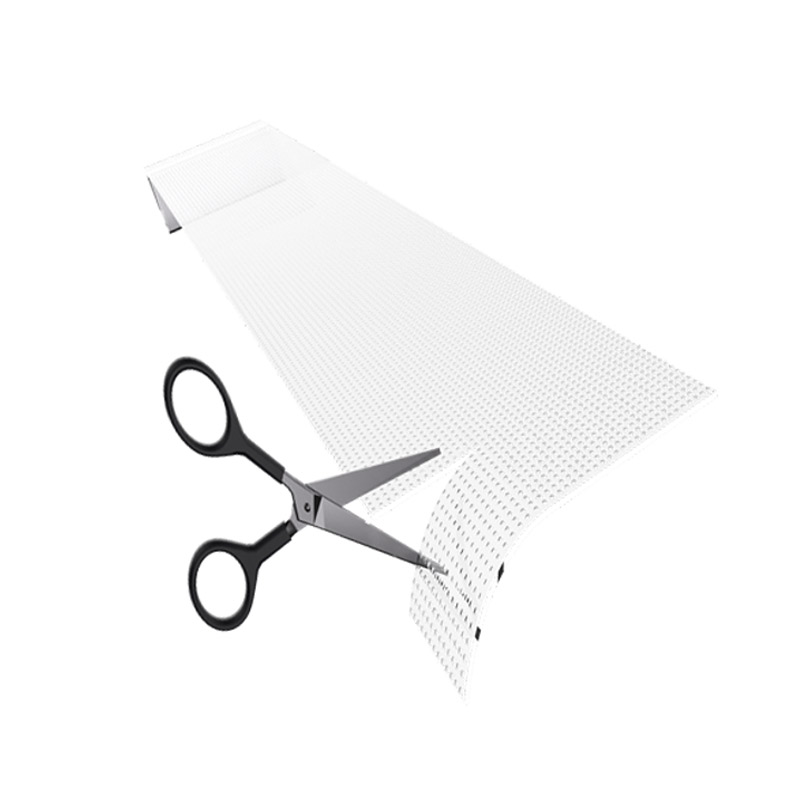
Custom Cutting

Cuttable, supports arbitrary cutting without size or shape restrictions, accommodates various size requirements, enabling more creative displays.

img


Easy to install

The display panel features built-in adhesive properties, allowing direct application to glass surfaces. Its adhesive strength increases over time.

img


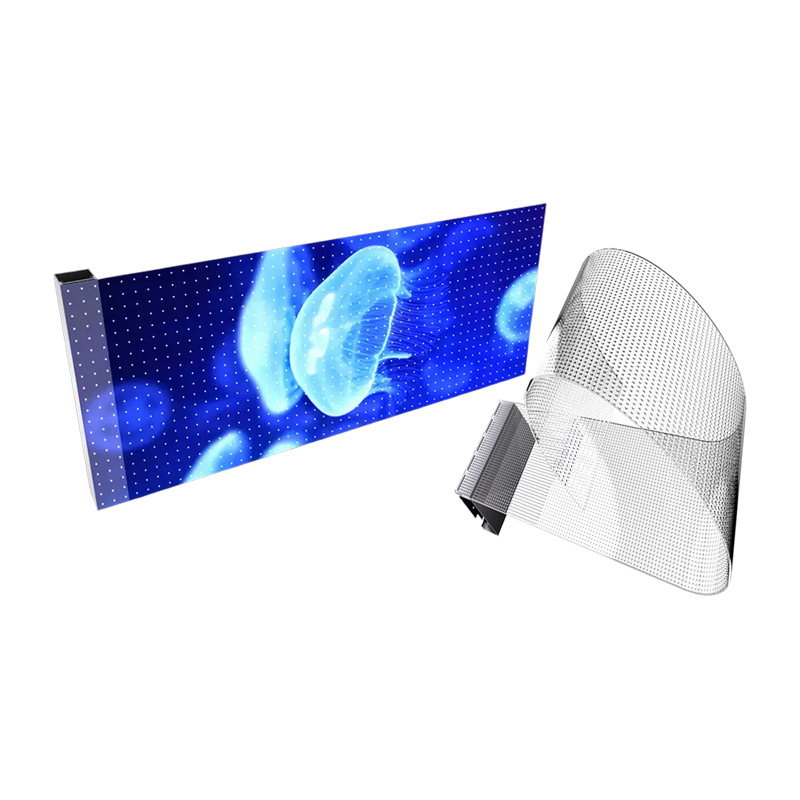
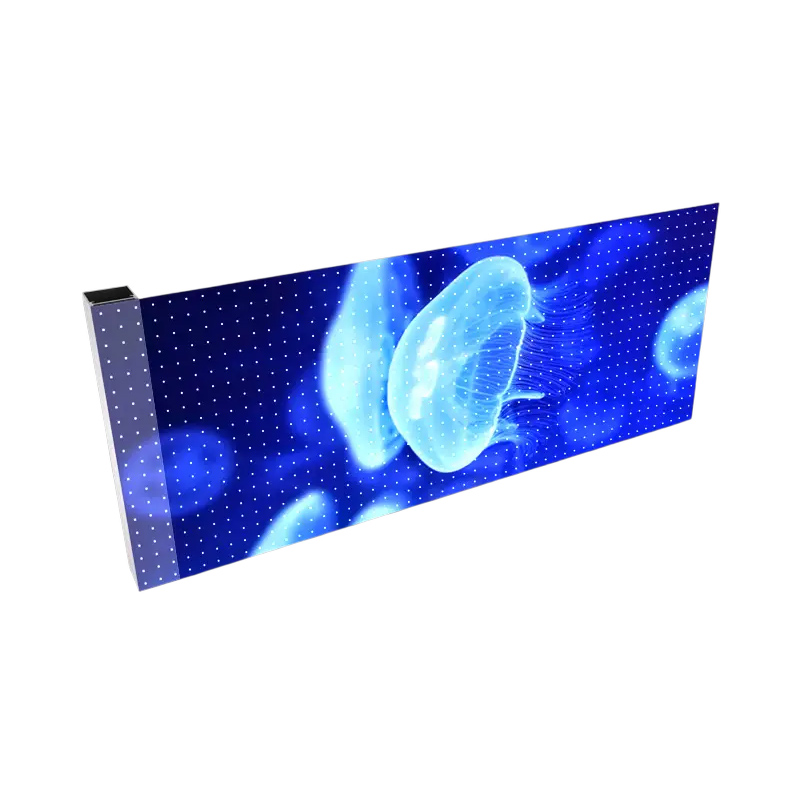
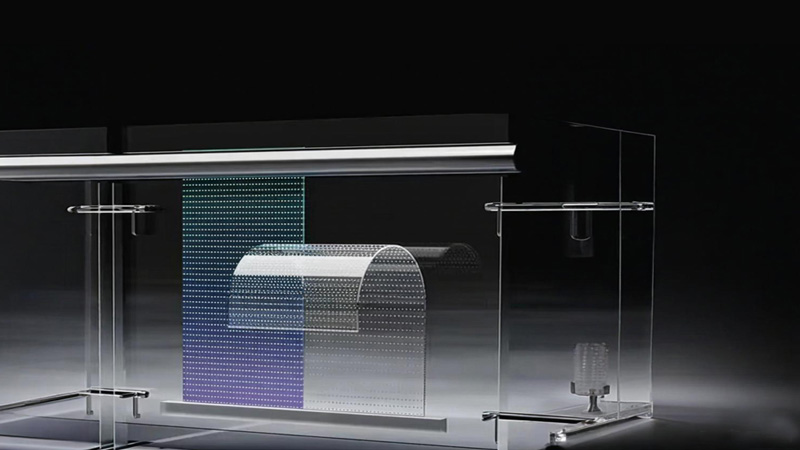
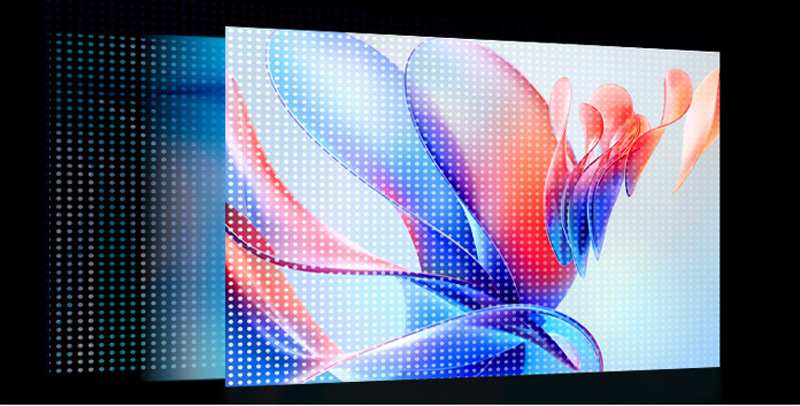
High Transparency

LED crystal film screens feature high transparency with a high-temperature resistant PET film substrate. When inactive, the screen seamlessly integrates into the glass. Transparency can reach up to 95% without compromising natural light.

img


Ultra-wide color gamut

Small-pitch full-color LED chips deliver high-definition picture quality, faithfully reproduce colors, display more lifelike images, and feature high dynamic refresh rates and brightness.

img


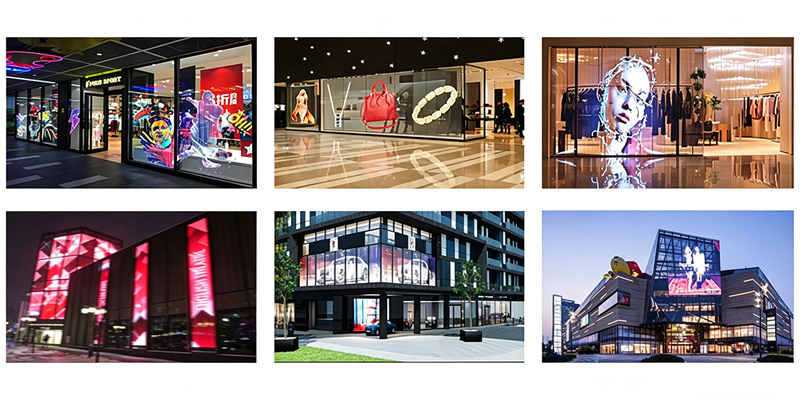
Case gallery

img


Model attribute


Parameter P4 P4-8 P6 P8 P10 P16 P16-32 P32 P20-60
Pixel density (dots/㎡) 62500 31250 27556 15625 10000 3844 1922 961 800
LED type SMD1010 SMD1010 SMD2121 SMD2121 SMD2121 SMD2121 SMD2121 SMD2121 SMD2121
Module size (width X height) 800X240 1000X240 1000X240 1000X240 1000X240 1000X240 1000X240 1000X240 1000X240
Module Resolution 200X60 250X30 166X40 125X30 100X24 62X15 62X7 31X7 50X4
Pixel resolution 250X250 250X125 166X166 125X125 100X100 62X62 62X31 31X31 50X16
Transmittance ≥85% ≥85% ≥85% ≥85% ≥90% ≥90% ≥95% ≥95% ≥95%
Weight ≤3.5kg/m²
Brightness (Nits) ≥3000 ≥3000 ≥3000 ≥3500 ≥3500 ≥3500 ≥2500 ≥1500 ≥600^800
Maximum power consumption 600w/m²
Average power consumption 200w/m²
Refresh rate (Hz) ≥8000HZ
Gray level 16Bit
Brightness Control Level 0-255
Color temperature (K) 3200-8500K Optional
Frame rate ≥60HZ
Perspective (horizontal/vertical) 140° /140°
Input signal DVI / VGA / Composite video
Screen Control Method Synchronous Box (Computer Screen Control) or Asynchronous Box (WiFi-Connected Mobile App Screen Control, USB Drive Screen Control)
Protection level IP30
Power supply requirements AC 220V ±10%, 50~60Hz (Optional wide voltage range: 110V and 9~36V)
Working temperature -20~50℃
Theoretical service life 100,000 hours

send us free message


- OUR PRODUCTS

RELATED CHAIR

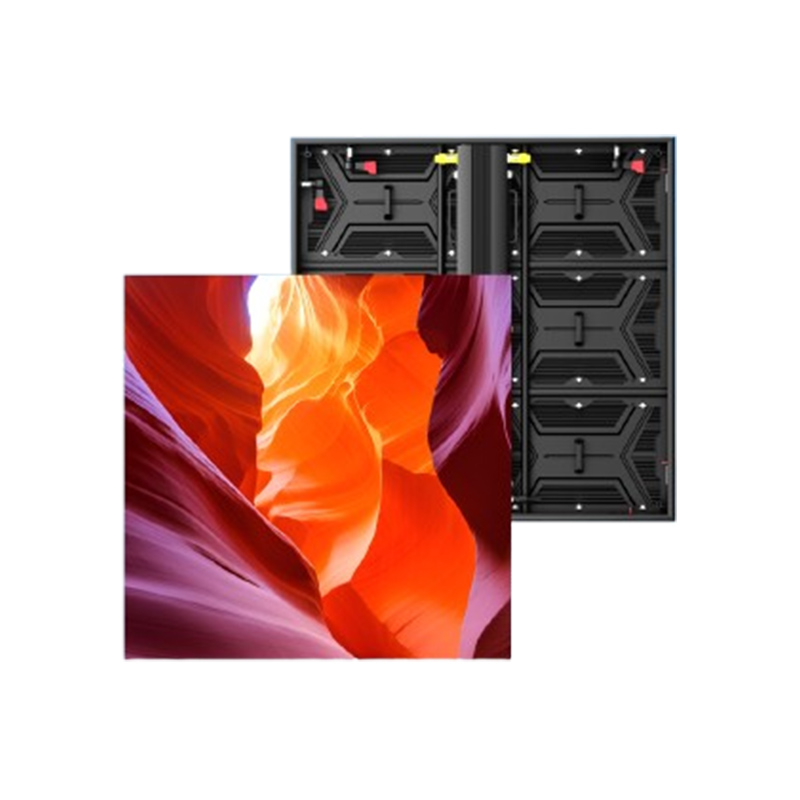
Outdoor Ti Series 1000×1000
High refresh rate, high contrast, and high grayscale, resulting in a more realistic and delicate display with vibrant and saturated colors.
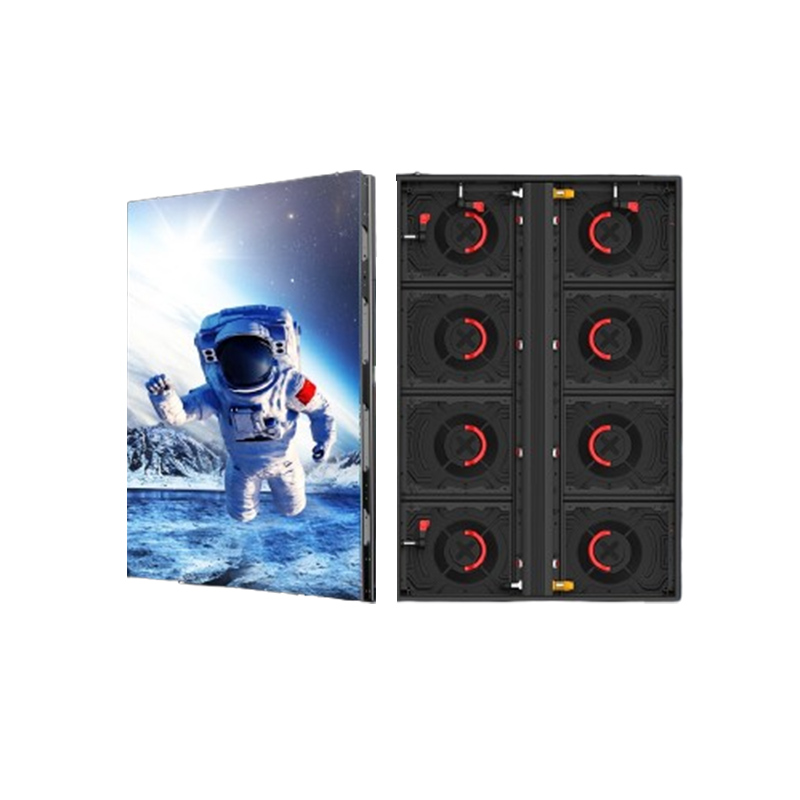
Outdoor Ti Series 960×960
Aluminum profile cabinet is light weight, which saves tranportation cost and installation cost
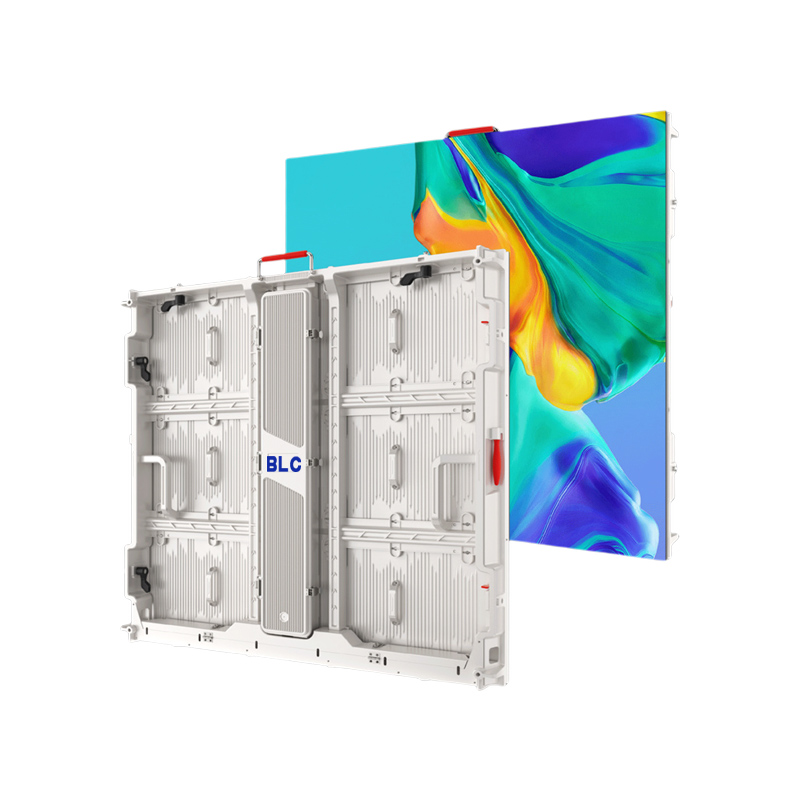
Outdoor ES Series 800×900
Aluminum profile cabinet is light weight, which saves tranportation cost and installation cost
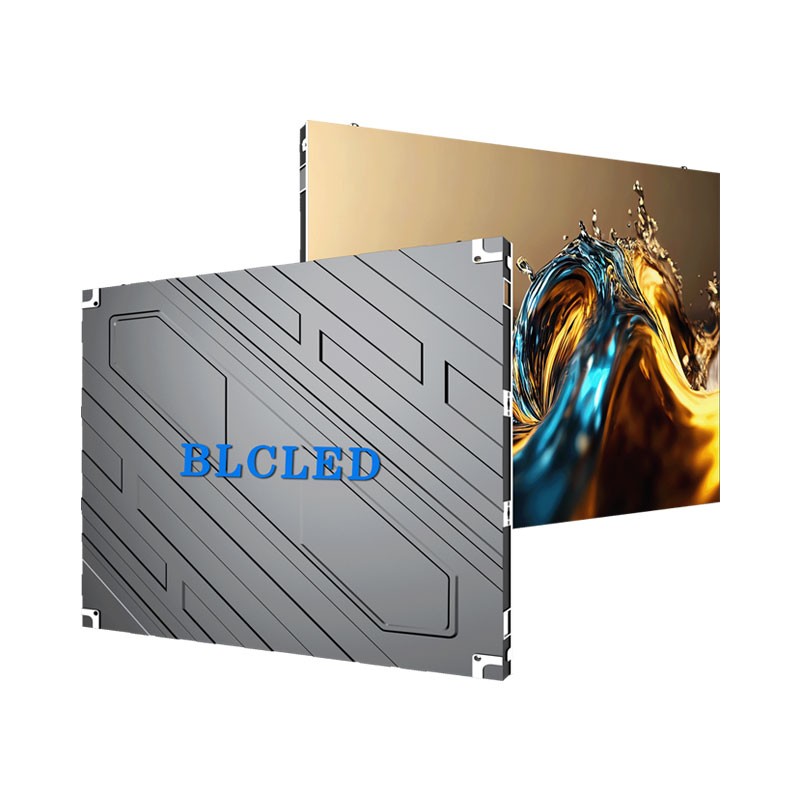
Outdoor BDW Series 960×960
Aluminum profiles and plastic cabinets are lightweight, reducing transportation and installation costs.

recent blog articles

How Does an LED Display Turn Video Into Light?

17
September
A buyer can see a bright image on an LED wall without seeing the chain of decisions behind it. Knowing how that chain works makes it easier to specify content, viewing distance, and service access without treating the screen as a mysterious black box. The image begins as mapped pixel data An LED display starts with a video source, but it cannot show that source until a processor maps the image to the physical pixel layout. A laptop, media player, camera, or controller sends content to the processor. The video processor and control system scale and map the incoming image to the screen canvas. Receiving cards then distribute the mapped display data to the corresponding modules. That is why a LED display screen should be commissioned with its real content and intended canvas size. A wide welcome wall, a stage backdrop, and a narrow information strip may all use LEDs, yet their mapping and content priorities differ from the outset. Each pixel mixes three controllable colors Each full-color pixel uses red, green, and blue light sources. The controller changes their relative output to create the color and brightness required at that point in the image. A white field requires a coordinated contribution from all three color channels; a deep blue scene requires a very different mix. Millions of controlled combinations make video, type, and graphics possible. Pixel pitch is the center-to-center distance between neighboring pixels, so it affects how closely viewers can stand before they notice the image structure. A smaller pitch can support finer detail at a nearer viewing position, but it is valuable only when the message genuinely needs that detail. The right question is what people must read, not simply which number is smallest. The cabinet carries signal power and alignment A display module is only one layer of the finished wall. Cabinets provide the mechanical structure and alignment while housing the power supplies, receiving hardware, modules, and signal connections that allow separate modules to operate as one display. If a cabinet line is out of alignment or a signal path is incorrectly configured, a technically capable module cannot deliver a clean, continuous result. For this reason, LED video wall panels are planned as a system rather than selected as isolated tiles. The installation team needs to confirm cabinet layout, controller capacity, cable routes, electrical protection, and a practical route for future service before content testing can be meaningful. Stage What happens Why the project team should care Content input A source sends video or graphic content to the processor. The source resolution and aspect ratio affect scaling and text clarity. Processing The processor maps every frame to the screen’s actual pixel canvas. Correct mapping prevents cropped images, stretched logos, and misplaced text. Receiving Receiving cards distribute the mapped data to the modules within each cabinet. A planned signal path helps technicians isolate a fault without disturbing the rest of the wall. Light output Red, green, and blue LEDs produce the visible pixel colors. Brightness and pixel pitch must suit the room and the closest meaningful viewer. Refresh keeps movement coherent Refresh rate describes how frequently the LED driving system updates the light output, while frame rate describes how frequently new video frames are supplied. Refresh rate becomes especially important with fast-moving content and when the LED screen is captured by a camera. It is one part of image quality, alongside frame rate, content preparation, signal processing, calibration, ambient light, and the physical condition of the display. A full-color LED display should therefore be assessed with the material it will actually play. Slow wayfinding content may expose layout problems and contrast choices; fast product footage can expose poor scaling or a weak signal path. Testing both types before handover is more useful than relying on a looped demonstration alone. A single module must stay in step An LED display panel has to receive the correct timing and color information alongside its neighbors, or the image may show a missing section, timing inconsistency, or visible color mismatch. Physical seams, by contrast, are mainly controlled by cabinet alignment and flatness. Commissioning should therefore include a full-canvas test, not only a check of individual modules. That is the simplest way to confirm that the complete display behaves as one surface. The viewing environment completes the picture The same screen can feel clear in a shaded lobby and strained beside bright glazing because surrounding light changes perceived contrast. Viewing angles, surface reflections, and the normal walking route also shape what the audience sees. Those conditions should guide the content hierarchy as much as the hardware selection does. Test the smallest important text from the nearest realistic viewing position. Check a still image, motion clip, and live source before accepting the mapping. Keep power, signal, and service access documented for the operating team. When a project needs a large continuous canvas, a commercial LED display can connect those decisions in one surface. BLC LED’s indoor fixed-installation options include high-precision cabinet structures and front-service configurations, which help combine accurate alignment with practical maintenance access in a built space. A practical way to read the technology An LED wall works by turning mapped digital information into controlled light at millions of pixel positions. The useful next step is to connect that simple principle to the site: define the real content, identify the closest viewer, confirm the physical canvas, and plan how the wall will be maintained. That sequence keeps the technology in service of the message rather than turning the project into a specification exercise. FAQ Does every LED pixel contain red, green, and blue light? A full-color display uses red, green, and blue light sources to form its visible pixel colors. The exact package design varies by product and application. What does pixel pitch change? Pixel pitch is the spacing between pixels. It affects how much detail can be perceived at a given viewing distance and should match the closest meaningful audience position. Why is a video processor needed? The processor adapts incoming content to the screen’s physical pixel canvas, while the control system distributes the mapped data to the corresponding display sections. Can the same LED wall show live video and graphics? Yes, provided the source, processor, mapping, and refresh performance are configured for the intended material. Both should be tested during commissioning. What should a site team check before handover? Check real content, mapping, brightness in the installed light, signal continuity, and the safe route for routine module or power service.

How Do Flexible LED Screens Follow Curved Spaces?

17
September
A flat LED wall is easy to draw, but many retail interiors, atriums, museums, and branded façades are not flat. The useful question is not whether a flexible panel can bend. It is whether the bend, service access, image quality, and support structure will remain predictable after installation. This article explains how to judge that fit before a curved concept becomes an expensive compromise. The Shape of the Site Determines the Display Approach The site geometry should lead the decision because a screen that looks right in elevation can fail at edges, joints, or service points. A flexible LED screen is useful when the installation surface has a defined curve or irregular outline. Record the actual surface, usable dimensions, viewing positions, obstacles, and technician access. Those measurements determine whether flexible panels, curved cabinets, or smaller rigid sections can be installed reliably. Site condition Flexible approach Point to confirm Single, gentle arc Curved modules or flexible panels Minimum radius and support spacing Tight cylinder or column Flexible or soft-connected modules Seam continuity and cable clearance Mixed curves and corners Custom-shaped sections Transition geometry and service access Flat wall with one feature curve Hybrid rigid and flexible layout Joint alignment between systems Radius Is a Mechanical Limit, Not a Design Suggestion Every flexible LED display has a specified bending range that should be treated as a mechanical limit. Exceeding it can create stress, uneven seams, or component damage. Check the radius against the complete assembly, including the surface, fasteners, cables, and protection. “Curved” can describe very different outcomes. A broad arc may use curved cabinets, while a tight column may require a soft connection and a different support method. The measured geometry—not simply the fact that a design is described as “curved”—should determine which LED display structure is appropriate. Flexible Modules Solve Specific Visual Problems A flexible LED display is useful when the display surface needs to follow changing architectural contours. Soft-wired connections give modules more freedom to follow curved or irregular surfaces than fully rigid assemblies, helping maintain more consistent alignment between sections. The benefit is strongest when the display is part of the space, such as a curved reception wall, wrapped column, or sculptural feature. The design still needs stable backing and a clear replacement route. Flexible Connections Still Need Careful Installation Soft-wired connections still require organized cable routing, adequate strain relief, and clear identification. Poor cable management can place unnecessary strain on connectors, complicate servicing, and increase the risk of unstable signal or power connections. Review these controls before approval: Mark the bending direction and minimum radius on the drawing. Allow sufficient cable slack so movement does not place tension on the connectors. Define the support structure so the LED modules are not used as load-bearing elements. Maintain a clear access path for module replacement behind trim or surrounding fixtures. Test the tightest radius and most visible seam. These controls make flexibility repeatable instead of a last-minute site adjustment. Image Quality Depends on More Than the Curve Final image quality depends on pixel pitch, viewing distance, calibration, processing, content, and geometry. Close viewers may notice seams that disappear at longer viewing distances, while cameras may reveal refresh-rate or scan-related artifacts that are not obvious to the eye. A Curved Screen Still Needs a Consistent Calibration Reference Calibration begins with a repeatable reference. Verify module order, pixel mapping, receiving-card configuration, and brightness consistency before evaluating the curved installation. A rotated or mis-mapped section can be harder to diagnose across changing angles. Use the same test content in the workshop and at handover. Neutral gray test patterns can reveal brightness mismatches, dark gradients can expose low-level uniformity issues, and fine text can help identify mapping or alignment errors. Test from principal viewing positions, including the sides. When a Custom Shape Is Better Than a Continuous Bend A special shaped LED display is a better fit for circles, spheres, right-angle transitions, or a changing outline that one bend cannot follow. The process begins with accurate drawings and a clear division between display surface, frame, and building structure. BLC LED offers flexible and creatively shaped display systems for applications such as arcs, circles, columns, spheres, and cube-like structures. A Hybrid Layout Can Reduce Risk A hybrid layout can reduce complexity when only part of the wall requires a curved display. Rigid cabinets can cover the flat sections, while flexible or custom-shaped modules are used only where the geometry requires them. Test the boundary between systems. Confirm pixel pitch, cabinet depth, calibration, viewing angle, and service access so the transition remains visually and mechanically consistent. A Practical Approval Path for Curved LED Projects Approval should answer four questions: What is the exact geometry? Which construction stays within its mechanical limits? How will the image be tested? How will a technician replace a failed module? Keep a concise approval package containing the measured drawing, radius map, support concept, cable routes, service clearances, and test results. The Right Flexible Display Follows the Site and the Workflow The right flexible display should follow the measured geometry without creating a difficult maintenance routine. Flexible modules are well suited to predictable curves, custom-shaped sections work better for changing outlines, and hybrid layouts can reduce the amount of specialized construction required. Review geometry, support, service access, and image testing together; the wider range of LED display solutions can then be considered with a clear brief. FAQ What Is a Flexible LED Screen Used For? A flexible LED screen is used where the display needs to conform to a curved, cylindrical, or irregular surface. It is especially useful for architectural features, retail interiors, exhibitions, and branded spaces where a flat rectangle would leave gaps or break the intended form. How Do I Know Whether the Curve Is Too Tight? Measure the smallest radius in the complete installation and compare it with the approved bending range of the selected panel or cabinet. Include the backing, connectors, cable movement, and fixing method in that check. Never treat a visual mock-up as proof of mechanical compatibility. Are Flexible LED Displays Suitable for Outdoor Use? Suitability depends on the specific product’s protection rating, materials, brightness, thermal design, and installation method. An indoor flexible LED display should not be assumed to meet outdoor conditions. Confirm the environmental specifications and support details for the intended site. What Should Be Tested Before Handover? Test the complete signal chain with gradients, fine text, dark content, motion, and neutral gray. Check seams from the main viewing zones, verify mapping and calibration, and perform a trial module replacement while the final access route is still available.

How Can an Indoor LED Video Wall Stay Clear?

03
September
A lobby screen has only a few seconds to do its job. Visitors should be able to read a welcome message, find an event, or recognise a brand without stepping back, squinting, or waiting for an animation to finish. That practical test is a better starting point for an indoor display than a long feature list. Clarity begins with the visitor’s stopping distance Viewing distance is the first control on whether an image looks intentional or merely bright. In a reception area, people may pause close to the screen, walk past it at an angle, or look up while checking in. An indoor LED display screen must therefore make its smallest important text readable from the nearest realistic position, not just look impressive from across the room. Pixel pitch matters because it sets how much image detail can be formed within a given area. A smaller pitch can support finer detail at close range, but it does not rescue an overcrowded message or a poorly placed screen. Treat pitch as part of a reading-distance decision: map the closest standing point, the usual walking route, and the farthest point where the message still has to work. The nearest viewer sets the hard limit The nearest viewer often reveals problems that a wide room view hides. Small text can merge into a gray band, and diagonal graphics can look rough when the image is asked to carry more detail than the screen and distance can comfortably deliver. For that reason, a scale test should use the smallest real-world item that matters. Put the actual reception message, QR code, menu, or wayfinding arrow on a trial canvas. If it is not comfortably readable at the closest intended position, simplify the content or revisit the display plan before moving on to cabinet details. Message hierarchy keeps the wall useful Good lobby content gives the eye one clear task at a time. A screen can carry several messages through the day, yet each frame should make its main message obvious before a visitor has time to look away. This is where an indoor LED video wall earns its space: it can create a continuous canvas, but only if the content respects the way people actually pass through the room. Build each scene around a simple hierarchy: One primary message, such as a welcome, direction, or event name. One supporting detail, such as a time, floor, or short callout. Clear contrast between text and its background. Enough empty space that the message does not compete with decorative motion. Movement should support the message instead of delaying it. Slow, purposeful transitions can make a wall feel alive, while rapid looping effects make text harder to catch for people who enter mid-sequence. A clear first frame is especially valuable in a lobby, where most viewers will not wait for a second chance to read it. Light around the screen changes the result Ambient light affects whether contrast remains comfortable and legible. A wall facing glass, reflective stone, or a bright entry zone may need a different brightness setting from the same wall placed deeper inside the building. The useful target is readable contrast without turning the display into the brightest object in a space meant for conversation or arrival. The installation plan should also allow content calibration. Test a representative colour palette and a plain background during commissioning, then record the agreed settings for future updates. Lobby situation What visitors need to see A practical content response Close check-in point Names and directions Large type, short lines, stable first frame Long approach corridor One recognisable message Strong shape, limited copy, high contrast Waiting area Longer story or programme Slower sequence with clear scene changes A service route protects the visual standard Maintenance access affects clarity long after installation day. A screen that is difficult to reach can leave a failed module, a colour mismatch, or a damaged surface in view for longer than anyone planned. Front or rear access should follow the available building space and a safe component-removal path, not an assumption made after the wall is framed. This is also where a project team can connect visual goals to the actual product structure. BLC LED’s Indoor BT Series uses a rigid 640 x 480 format with high-precision construction, system-backup support, and a hard-wired HUB connection. For a fixed indoor LED screen wall, those features are relevant when the brief calls for orderly alignment and a dependable display path, rather than simply adding specifications to a proposal. The handover should identify the approved brightness profile, common content layouts, the safe service direction, and the steps for checking a replacement module against the surrounding image. Those details help a facilities team restore the intended look under pressure. The screen and the message need one final rehearsal A finished installation should be tested as visitors will use it, not only as technicians see it. Walk the entrance route, stand at the check-in point, and test the welcome line, directional information, and short branded sequence. This rehearsal also exposes whether an indoor LED display is carrying too much. If visitors need to stop and decode the wall, reduce the copy, enlarge the primary message, or break the information into scenes. An indoor advertising LED display screen works best when it gives people a useful cue quickly, then lets the architecture and service experience do the rest. Summary An indoor wall stays clear when the plan begins with the closest viewer, gives every frame a clear message hierarchy, and preserves the image through a realistic service route. For lobby projects, the next decision is not which specification sounds largest; it is whether the proposed screen and content work together at the exact places visitors will stand and move. FAQ Does a smaller pixel pitch always make lobby content better? A smaller pitch can improve close-range detail, but content hierarchy still matters. Large, well-spaced text and clear contrast are often more valuable than adding detail that the message does not need. What content should an indoor LED video wall show first? Show the message a visitor needs immediately, such as a welcome, direction, or event name. Place secondary details after the main message is already clear. Can an indoor LED screen wall handle both branding and wayfinding? Yes, provided the two purposes do not compete in the same moment. Use short wayfinding scenes when visitors need direction, then return to brand content when the screen has more time to tell a story.

How Can One LED Rental Screen Fit Different Stages?

27
August
A rental screen earns its place when it moves between stage designs without forcing the crew to relearn the system. A keynote may need a wide wall, while the next show calls for wings, a corner, or a curve. The practical question is whether those shapes can be built predictably with one disciplined workflow. Flexible Inventory Depends on Repeatable Geometry An LED rental screen becomes versatile when cabinet sizes, locks, service access, and signal paths work as one platform. Unrelated cabinets multiply spare-part decisions and assembly habits. A useful system limits those changes while preserving layout flexibility. Panel Sizes Should Solve the Layout Math Stage drawings rarely share one set of proportions. A 500 x 500 mm cabinet gives finer edge control, while a 1000 x 500 mm cabinet reduces handling across a large rectangle. The useful mix reaches common dimensions without creating rarely used panels. This is where a defined rental family becomes relevant. BLC LED’s BP series includes 500 x 500 mm and 1000 x 500 mm indoor panel options. Its high-precision die-cast enclosure supports quick, accurate assembly, so the cabinet platform follows the layout plan. Curves Need a Known Angle and Radius A curve is dependable only when the drawing and cabinet mechanism describe the same geometry. The BP platform supports 45-degree inner and outer curves, and eight cabinets can form a 1.25-meter-diameter circle in the specified configuration. That makes a curved LED screen a planned shape rather than an improvised bend. The radius must still be confirmed for the exact model, connectors, and supporting structure. Cabinets with the same outside dimensions do not necessarily share curve hardware or load paths. Indoor and Outdoor Shows Need Separate Configurations LED screens for events may share a modular appearance, but a ballroom and an open-air festival create different conditions. The inventory plan can preserve one workflow while keeping environmental specifications separate. Indoor and outdoor cabinets should not be treated as interchangeable. Brightness Follows the Venue, Not the Largest Number Indoor BP models provide 600 or 800 nits depending on pitch, while outdoor BP models provide 3,500 to 5,000 nits. Indoor output must work with controlled lighting and cameras; an outdoor stage may need more headroom against daylight. Protection ratings also separate the groups: indoor BP models are IP31, while outdoor BP models are IP65. Naming and packing logic can remain familiar without assigning one configuration to every venue. Viewing Distance Sets the Useful Pixel Pitch Pixel pitch should follow the nearest important viewing position and the level of detail in the content. The BP indoor range covers P1.56 through P3.91, while the outdoor range covers P1.95 through P4.81. A smaller pitch supports closer viewing, but screen size, processing, and budget still matter. A stage rental LED screen therefore needs a layout record with physical dimensions and the expected audience zone. A drawing without its viewing assumptions may fail at the next venue. Fast Changeovers Come From Standard Work Changeover speed depends on decisions made before loading. Cabinet labels, cable maps, controller files, spare locations, and packing order should match the drawing. Stable details let the crew focus on what is genuinely different. A practical show file should contain: A cabinet map with row, column, and curve positions. Power and data routes that match labeled cables. A controller preset named for the event and screen. A spare plan for compatible modules, cabinets, and tools. A quarantine rule for damaged parts. One Repair Should Be Rehearsed Before Show Day Service access matters because a fast build is incomplete if a failed section cannot be reached. BP rental cabinets support front and rear maintenance. The plan should identify which side remains accessible after scenery, speakers, and barriers are installed. A useful rehearsal follows one fault from identification to a restored image. The crew locates the cabinet, isolates power and data, replaces the approved part, confirms alignment, and returns the removed item to a marked case. This exposes missing tools or blocked access before show day. Image Consistency Must Survive Reassembly A rental wall is repeatedly rebuilt, so visual acceptance must be repeatable too. BP indoor and outdoor models list a 3,840 Hz refresh rate with configuration-specific gray levels. The finished image also depends on calibration, controller settings, content, and cameras. An LED wall for events should be checked with demanding content, not only a bright promotional loop. Dark gradients can expose low-level differences, thin text can reveal mapping errors, and side views can reveal a poor joint. A Repeatable Test Scene Makes Acceptance Faster The same test sequence should be used from warehouse preparation through handover. It can include gradients, neutral gray, skin tones, saturated colors, fine text, fast motion, and a controlled full-white check. Camera operators should test frame rate and shutter settings before doors open. The purpose is to separate normal venue differences from mapping, calibration, assembly, or signal faults. The Best Rental System Is the One the Crew Can Repeat One LED rental screen can serve different stages when its flexibility is defined. Repeatable geometry handles flat walls, wings, corners, and curves; separate indoor and outdoor configurations preserve suitability for each venue; and standard show files simplify changeovers. Compare the layouts used most often and confirm which cabinet mix covers them with the fewest exceptions. Share recurring stage drawings, viewing zones, rigging limits, and changeover timing through our project details page. BLC LED can then match the BP platform to the layouts your crew builds. FAQ Can One Rental Platform Be Used Indoors and Outdoors? One platform may offer indoor and outdoor models, but they are not identical. Brightness, protection, power behavior, and operating conditions must match the venue. Which Cabinet Size Works Best for Changing Stage Layouts? A 500 x 500 mm cabinet offers finer control around edges and curves, while a 1000 x 500 mm cabinet reduces handling across large flat areas. The best mix covers recurring drawings without creating rarely used combinations. Can Rental Panels Form a Curved Stage Wall? Yes, when the cabinet includes defined curve hardware. The BP series supports 45-degree inner and outer arcs in its specified configuration. Confirm the radius, connectors, support method, and model before approval. Is a 3,840 Hz Refresh Rate Enough for Live Event Video? A 3,840 Hz refresh rate is a strong foundation, but it does not guarantee every camera result. Gray-level performance, controller settings, camera frame rate, shutter settings, and exposure also matter. Test the full signal chain.
Home
WhatsApp
Email
Contacts